|
CloneCD
We checked the capabilities of the
drive under Clone-CD:
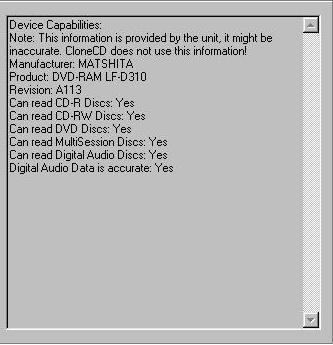
Above you can see, the drive has
no support for RAW reading of any
kind and can not write to CD-Rs.
For the Safedisk 2 read test we used
the game Max Payne. The read times
are:
I 02:57:01 Starting copy from MATSHITA
DVD-RAM LF-D310 to H:\maxpayne.CCD
I 02:57:01 Read SubChannel Data from
Data Tracks: Yes
I 02:57:01 Read SubChannel Data from
Audio Tracks: Yes
I 02:57:01 Fast Error Skip: Yes
I 02:57:01 Don't report read errors:
No
I 02:57:01 Intelligent Bad Sector
Scanner: No
I 02:57:01 CD contains CD-Text: No
I 02:57:02 Reading Track 1... (Blocks
0-358329)
W 02:57:02 Device MATSHITA DVD-RAM
LF-D310 doesn't support reading of
96 bytes subchannel data (CD+G)!
W 02:57:03 If you don't expect read
errors on this CD, disable "Fast
Error Skip"!
W 02:57:03 Failed to read Sector 807
--- SNIP ---
I 03:07:58 Duration of operation:
00:10:57
I 03:07:58 Reading finished!
Impressive Safedisk 2 reading performance...
11 mins.
PSX2
We tried to make a backup of a Playstation
2 game; we found out why we were unsuccessful
with our previous attempt with the
A03... and this time we succeeded
in copying and booting the backup
on our JAP PSX2 machine.
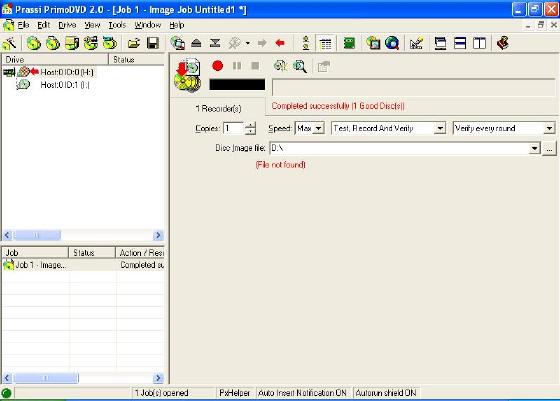
We used Windows XP to make the backup
of the Playstation 2 game because
the size of the image was more than
what FAT32 could handle. Note: FAT
formats (FAT12, FAT16, FAT32) use
a 32-bit value for the file size,
this means a maximum file size of
4,294,967,294 bytes -- short of the
4.7GB needed for the imaging of a
full DVD (XP and Windows 2000 use
NTFS which uses a 64-bit value but
only 44-bits are used for the file
size).
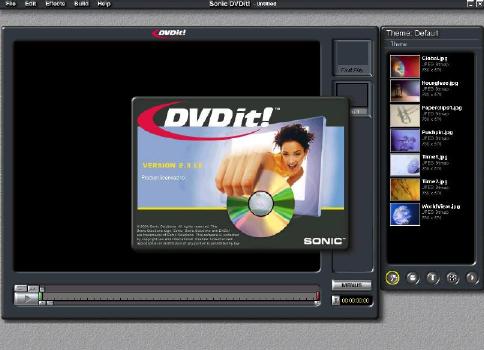
Sonic DVDiT2.3 LE
Panasonic's Burner comes with Sonic's
DVDiT 2.3 LE which is very much like
the MyDVD that is bundled with Pioneers
DVD writer, but better (more menu
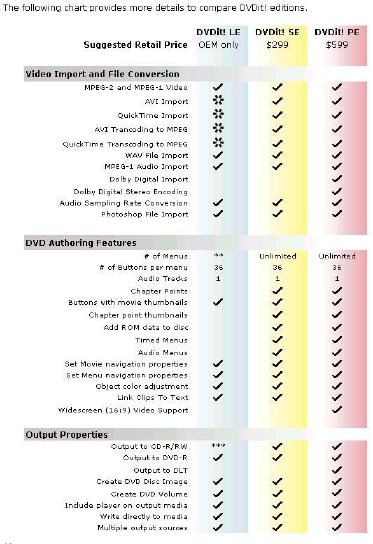
support). There were a few different
versions of DVDiT which was confusing
us, but visiting Sonic's web site
cleared up some of the confusion (zooming
in on the picture will clear it up):
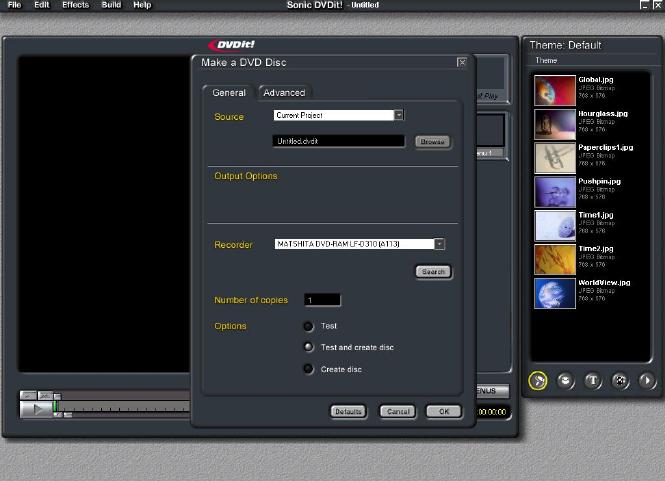
DVDit is no different from Sonic's
other authoring program MyDVD. We
didn't like MyDVD and DVDit is no
different. The program works using
"themes", allowing you to
manage different kinds of media, such
as audio, images and video. We didn't
like it because it was cumbersome
and had confusing menus. It tries
too hard to be too user friendly but
ends up being restrictive and slow.
If you want to create your own DVDs
to share with friends I would recommend
you look elsewhere for your authoring
needs.
DVD Capabilities
REGIONS
Region Codes are part of the DVD
standard. There is a region number
within the components required for
DVD-VIDEO playback. The region number
defines the region of the DVD-ROM
drive and its playback hardware/software.
The regions as defined by the DVD-Forum
are:
1. USA & Canada
2. Europe, Japan, South Africa and
the Middle East.
3. South East Asia
4. Australia and South America
5. Africa and Russia.
6. China
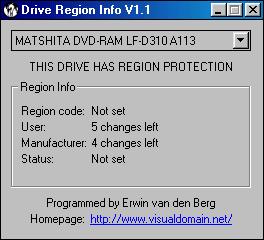
I downloaded the latest version of
Drive Region Info to check the status
of the region codes for this drive
RPC-2 Drive. (RPC-2 devices allow
you to change the drive's region a
certain number of times.)
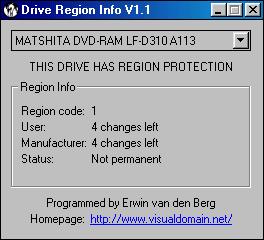
After running the included PowerDVD
to view a region 1 DVD:
  Page
4 - Last Updated: 11 November 2001 Page
4 - Last Updated: 11 November 2001
|